Morning
See what matters
See the core numbers that matter: stock, cash, supplier bills, aging, trial balance, profit and loss, and balance sheet.
Mosaic Shop Intelligence by Hearthplug is an open-source (MIT) ERP for inventory, purchasing, sales and core accounting - also running hosted, so your shop is one sign-in away on any phone or computer. Answer plain-English questions about how your shop works, and Mosaic configures the working system for your stores, channels, stock, credit, returns, staff and tax registration. Sign in with Google, Microsoft, or email. You focus on your business - we take care of the technology.
The demo is pre-loaded with a sample shop and needs no sign-up. It sleeps when idle, so give it about 20 seconds to wake up.
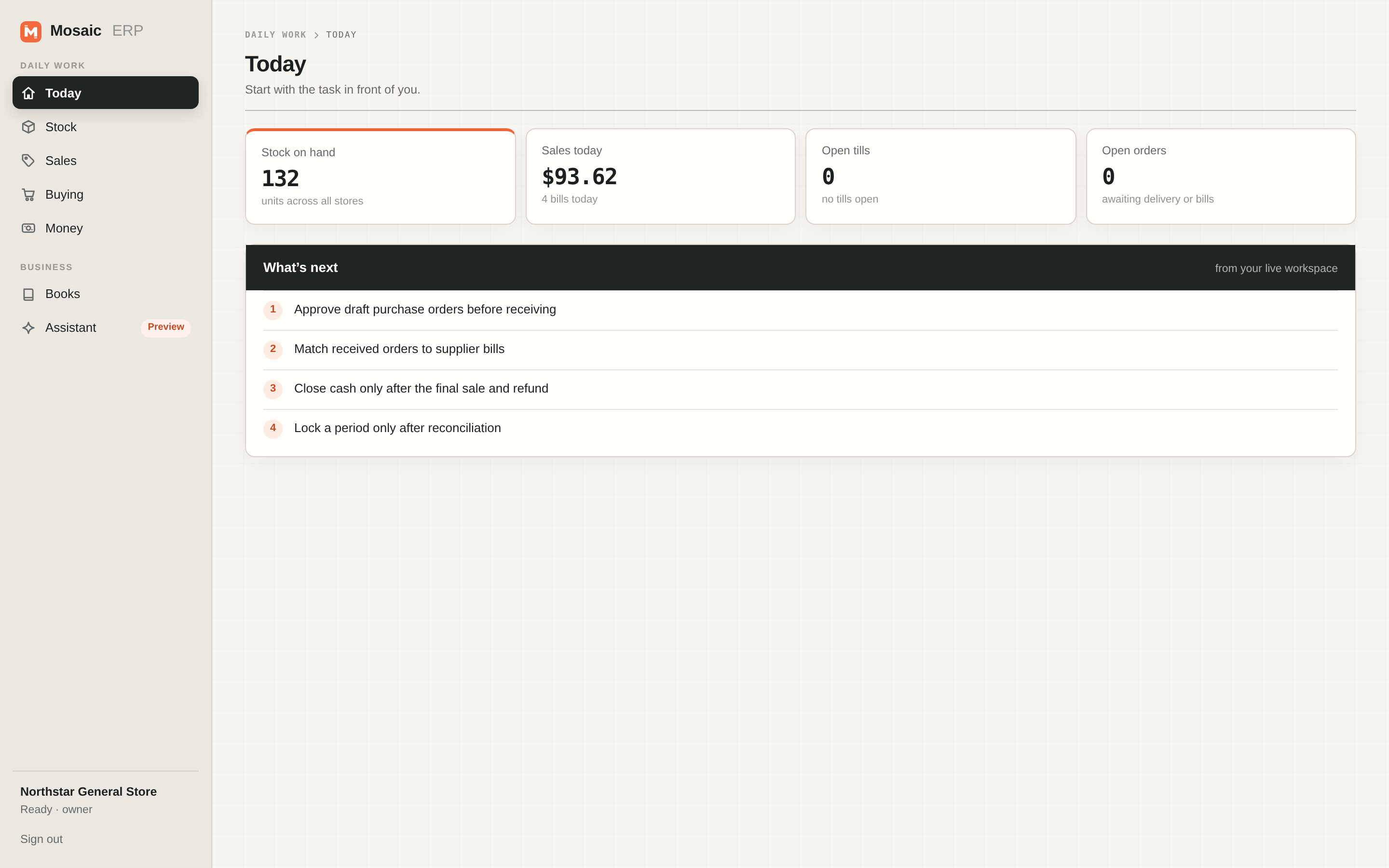
You focus on your business - Mosaic takes care of the technology.
No consultants and no code: answer plain-English questions about your shop and Mosaic configures the working system, with every change reviewable before it applies.
The hosted app is one sign-in away on any phone or computer - no servers, updates or installs for you to manage.
Every report exports as a PDF or CSV/XLSX file, and the whole workspace exports too. Open source under the MIT license, so you can self-host the same system anytime.
Built-in deterministic chat answers how-to questions without internet, the optional local assistant Preview runs on your own machine, and your own AI provider key works too.
The v2.1 release speeds up daily retail work and widens what reports can do.
Sell from product tiles with a running cart and a numpad for amounts: type the cash tendered, see the change due, and refund by tapping a recent sale.
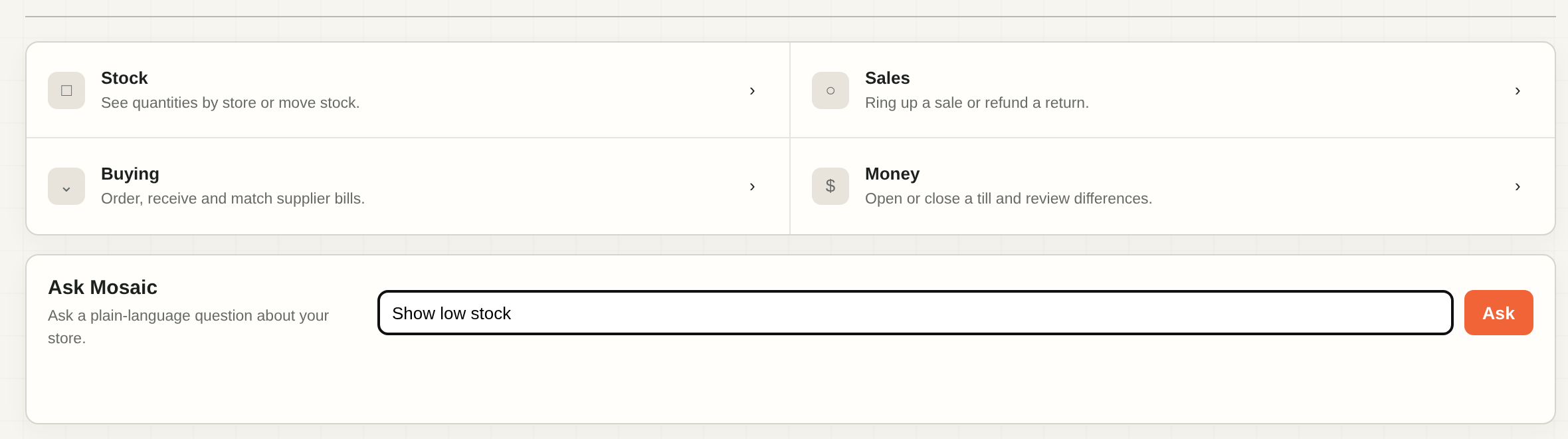
Money, Stock and Buying start from tap-to-choose lists instead of typed record numbers, and Today shows live to-dos with a plain explanation beside each term.
Reports download as a PDF or CSV/XLSX file, and you can ask for a custom report in plain words and review exactly what it will show.
Tables become compact cards on phones, the till uses two compact columns on tablets, and actions stay within thumb reach.
Before anything applies, the review lists each module on or off with a plain explanation of what changes in your system.
An Intel Mac installer joins the Windows and Apple Silicon downloads on the release page.
Rename the shop, add a store, and see the tax profile with a plain-language checklist of what your accountant should check - all from one Settings page.
Real screens from the running app - no mockups. This is the demo shop, Northstar General Store, in US dollars.
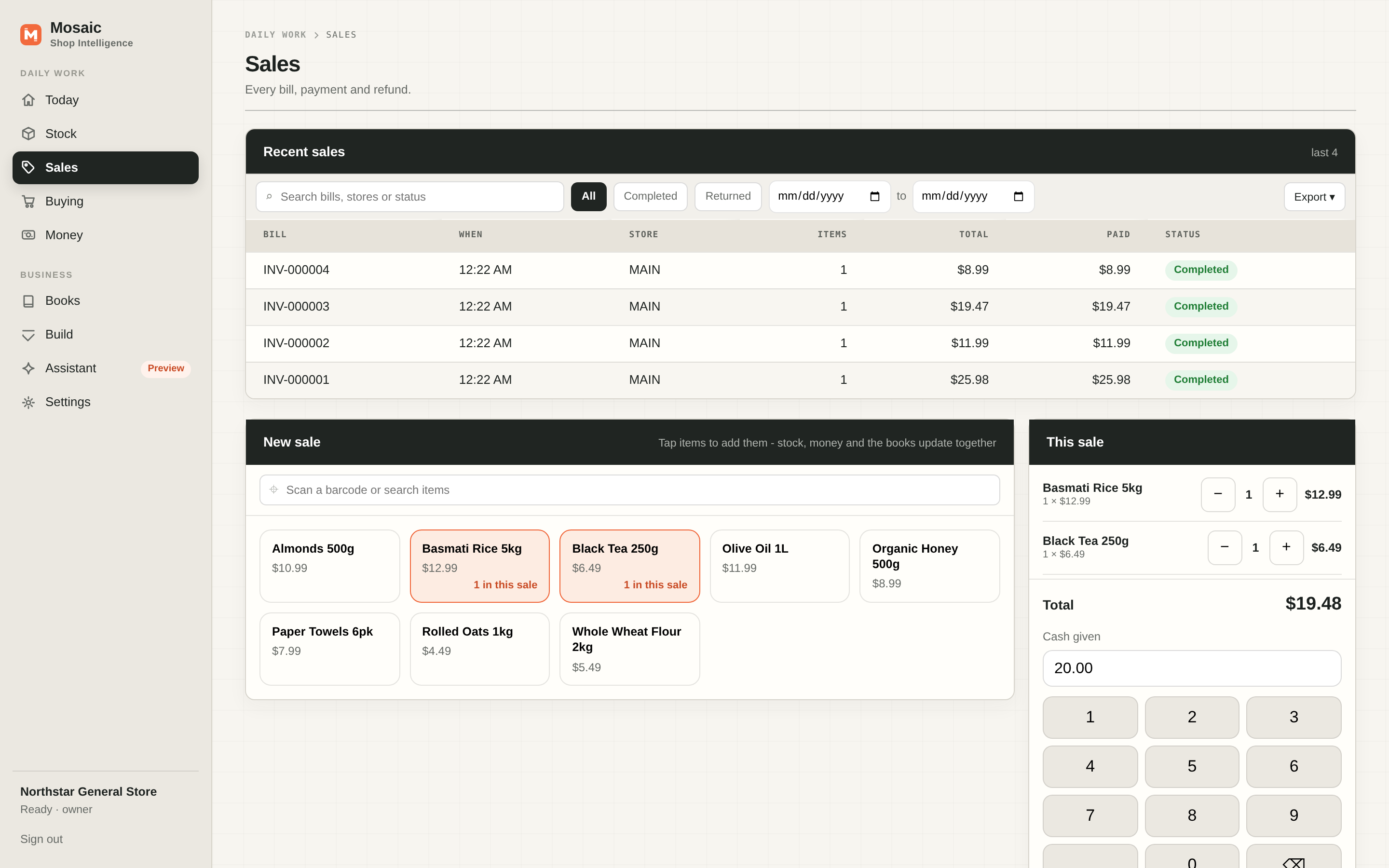
Point a barcode scanner at an item - or type the code - and it lands in the sale. Anything without a barcode is one tap on a tile. Stock, money and the books update together.
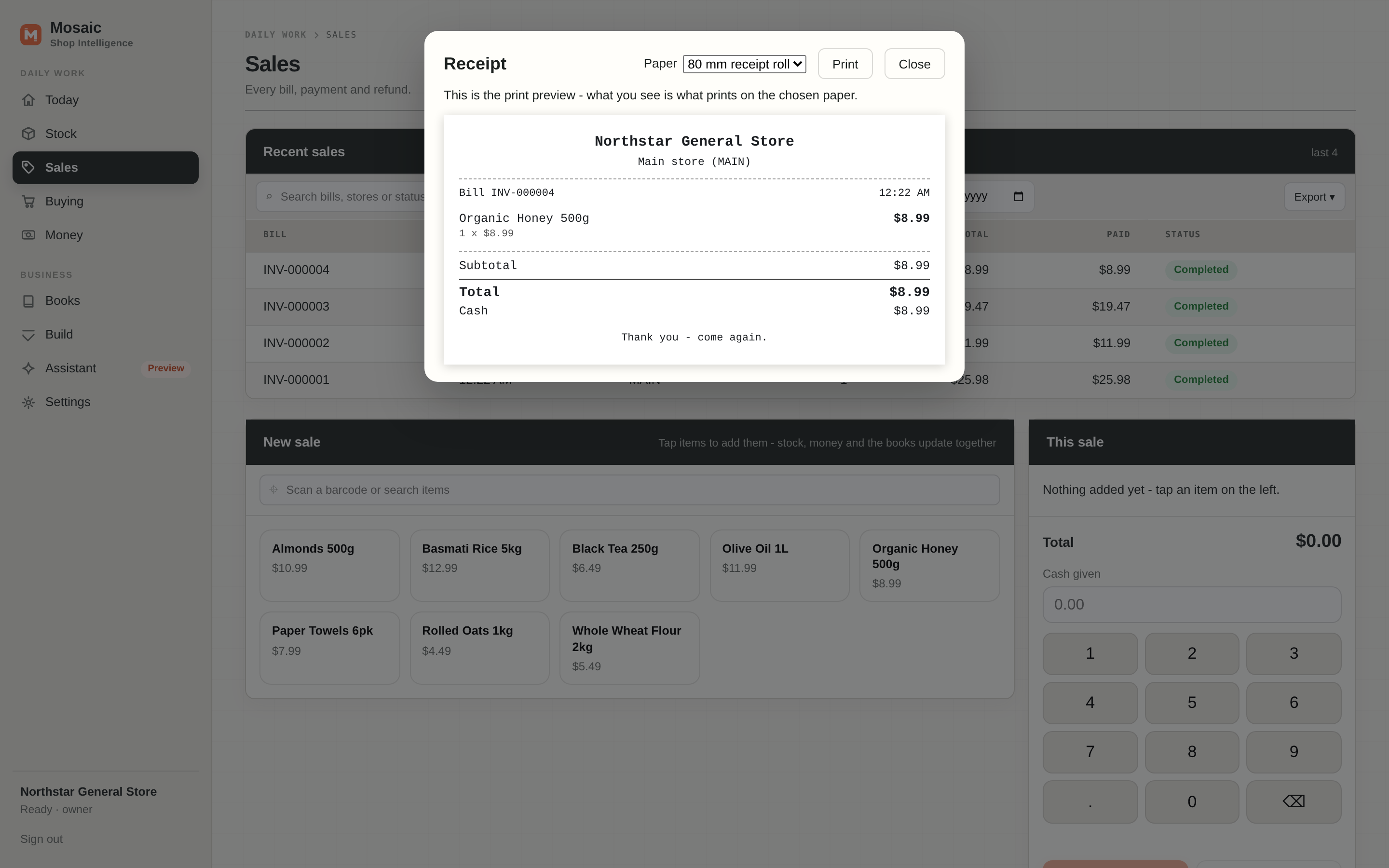
Print on a receipt roll or plain A4, right from the sale. The preview on screen is exactly what prints.
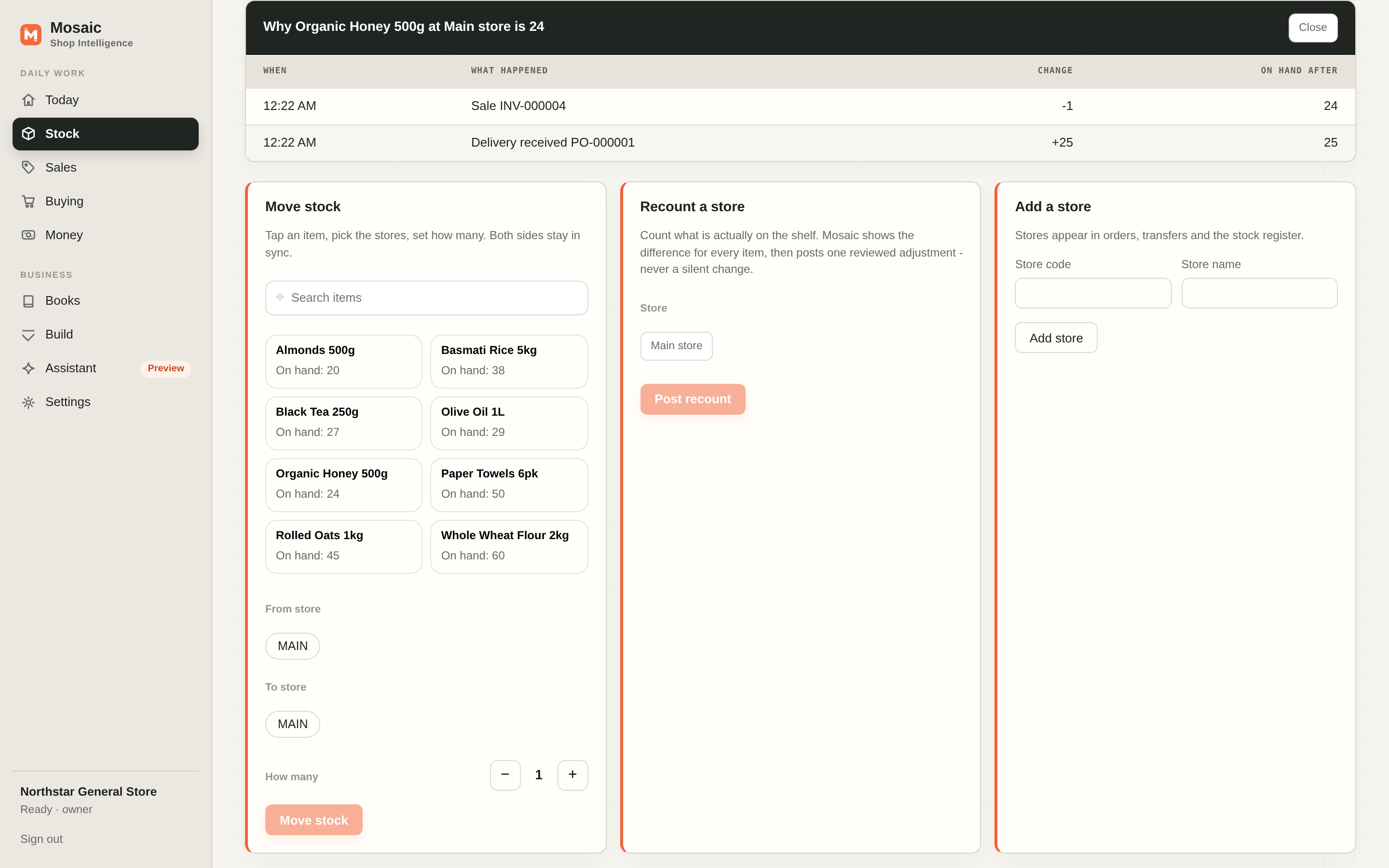
Tap Why? next to any count and see the deliveries, sales and moves that add up to it. No mystery numbers.
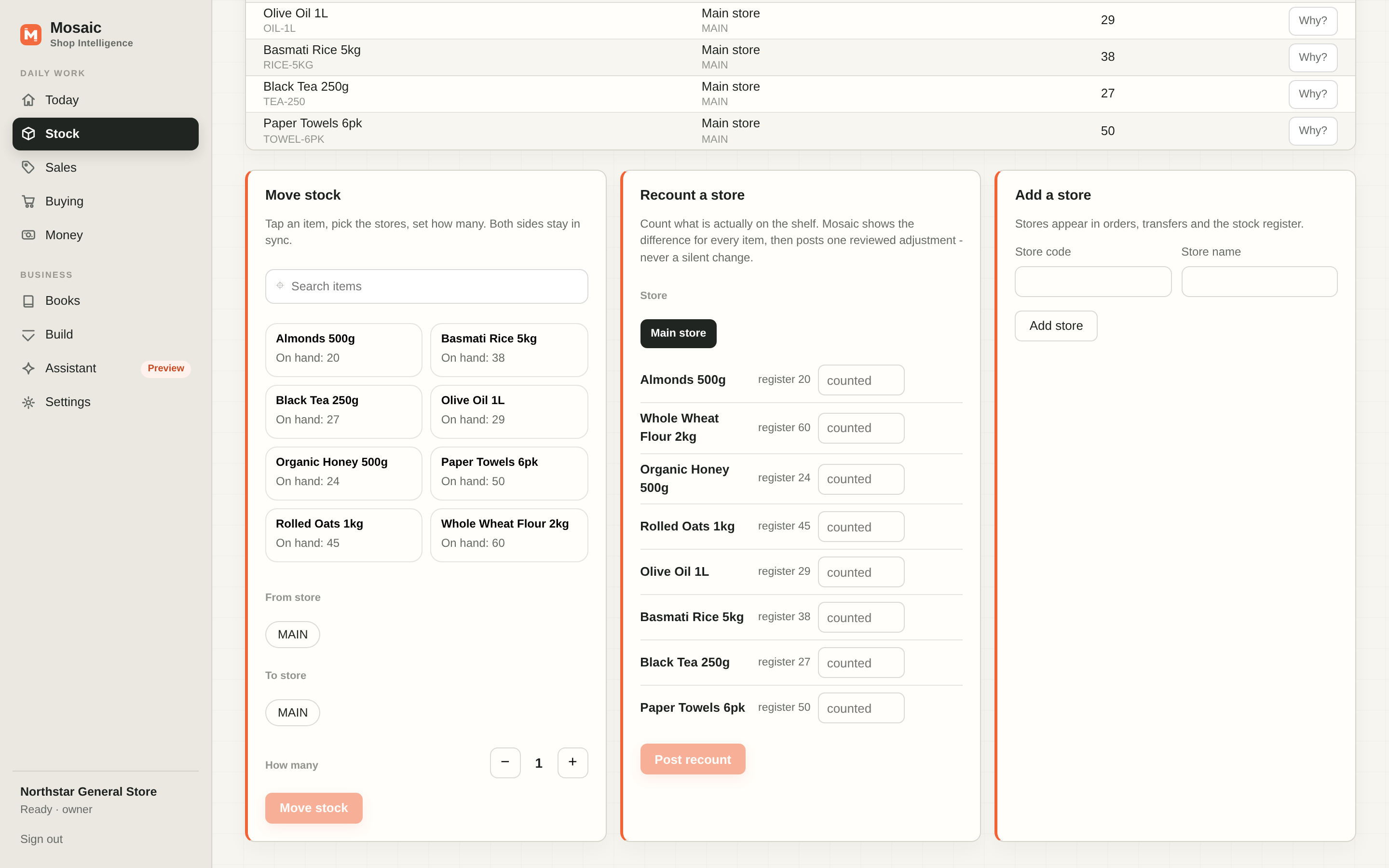
Count what is actually on the shelf and Mosaic shows the difference for every item, then posts one reviewed adjustment - never a silent change.
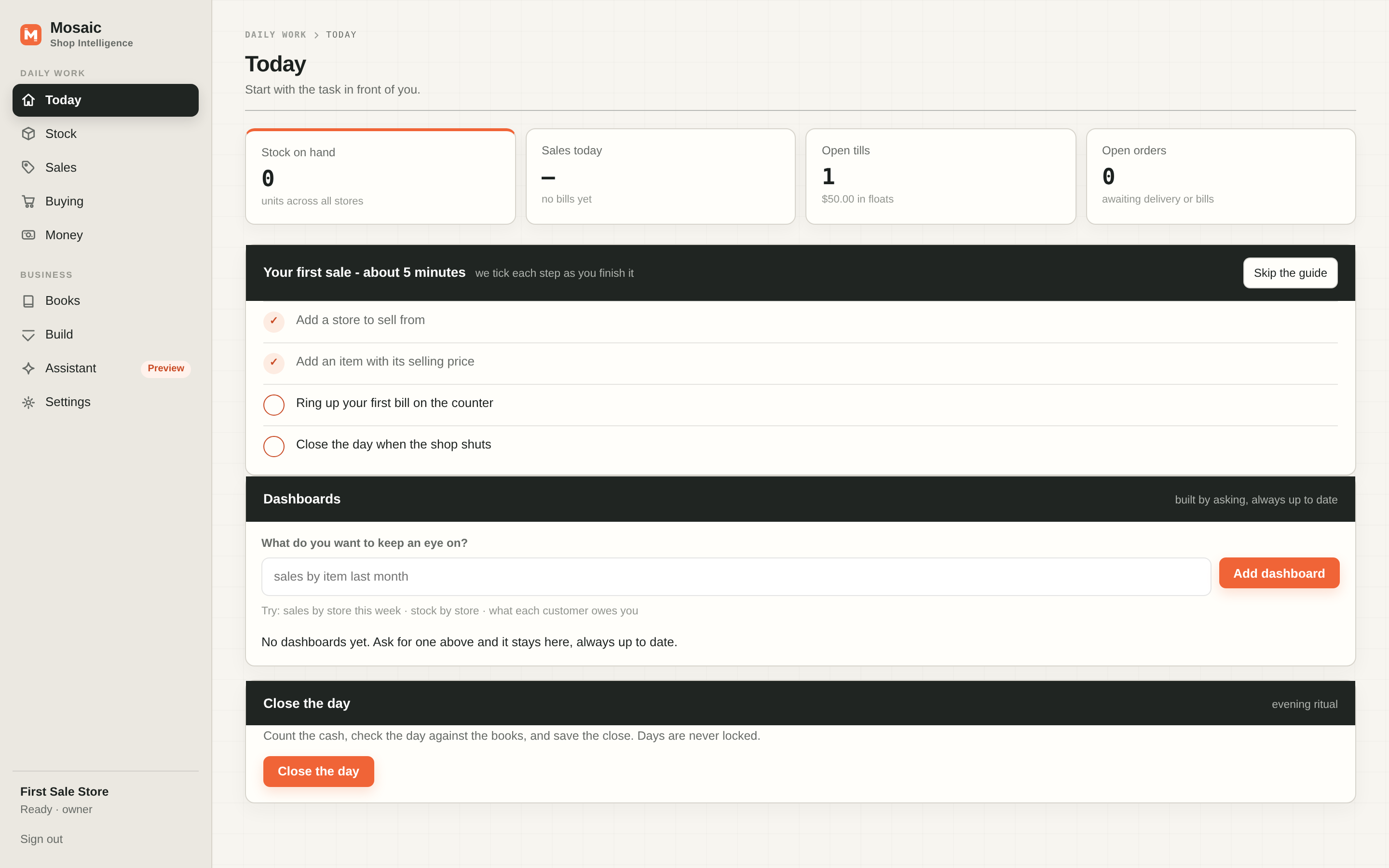
A short checklist on the Today screen walks a brand-new shop from first item to first bill, ticking each step off as you finish it.
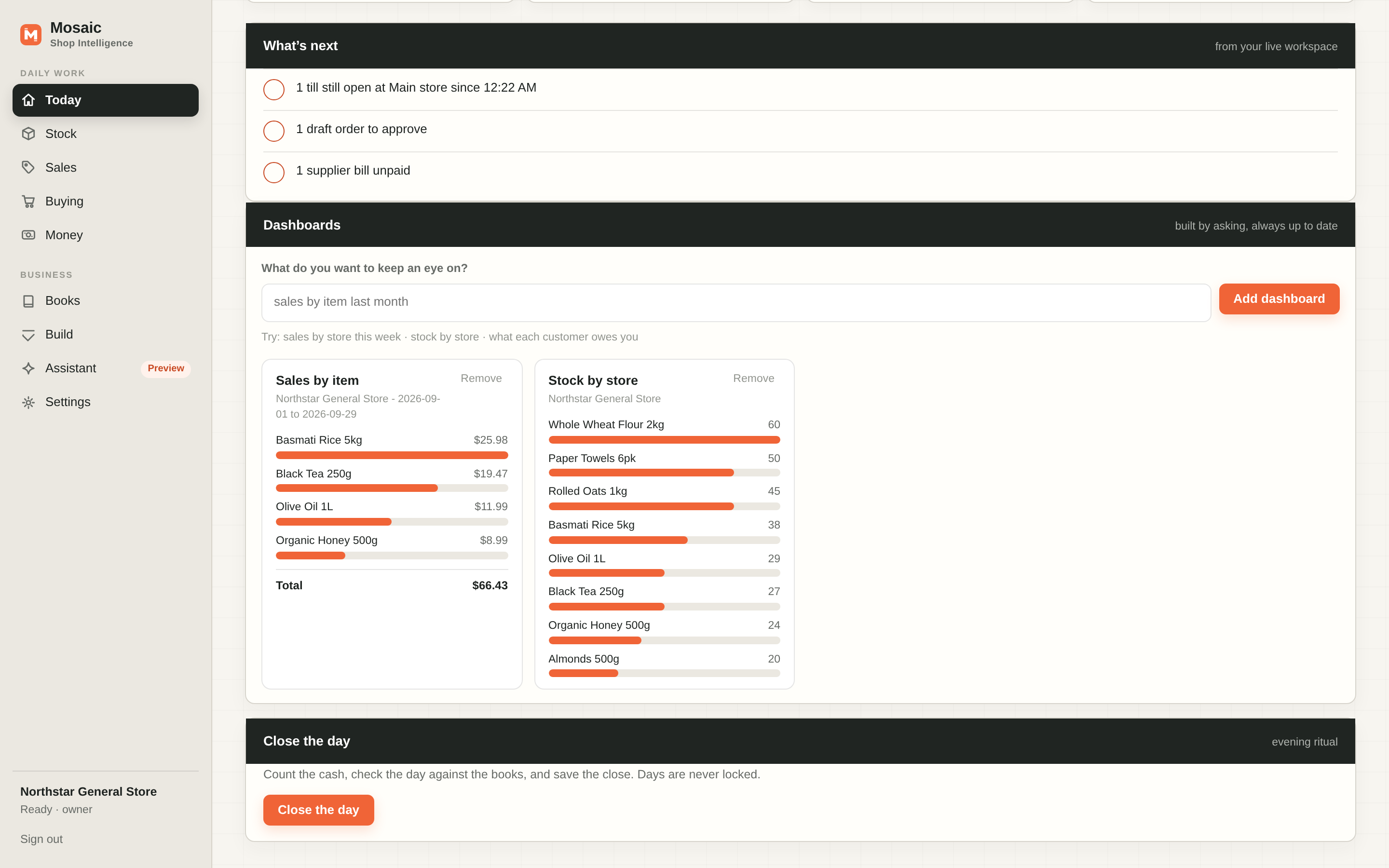
Type what you want to keep an eye on - "sales by item this month" - and the card stays on your Today screen, always up to date.
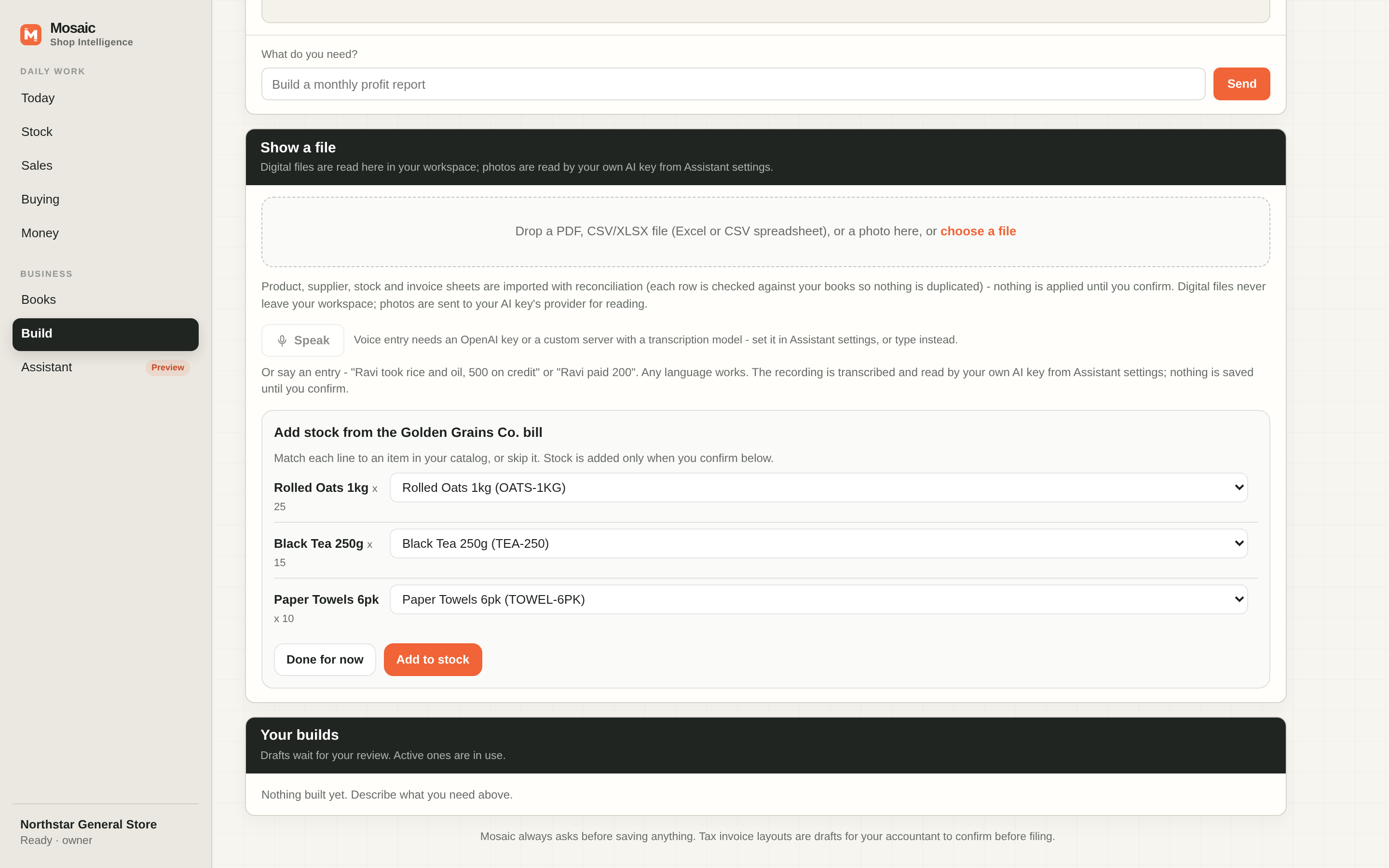
Show Mosaic a supplier bill and match each line to your items. Stock updates only when you confirm.
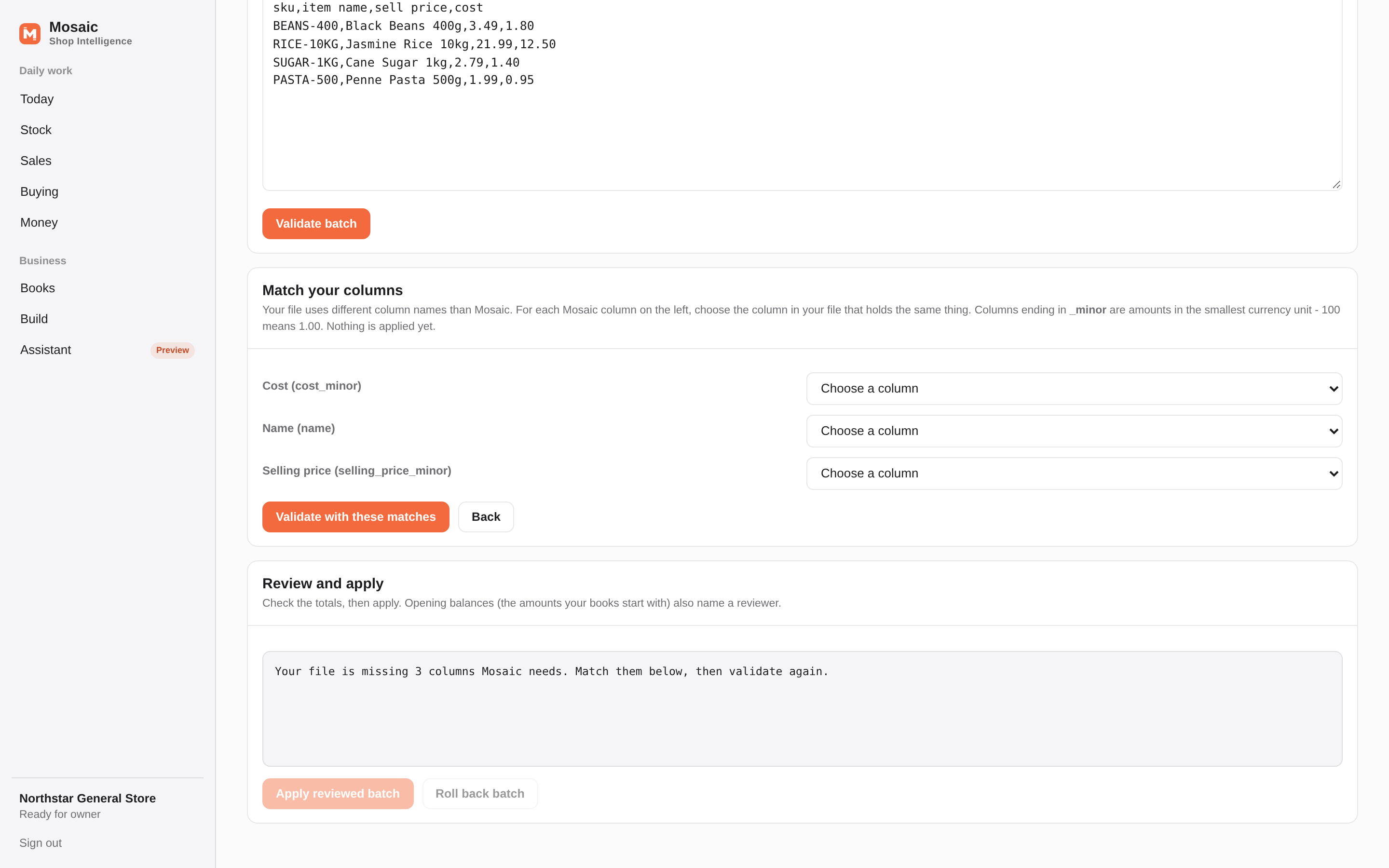
Moving from another system? Load a CSV/XLSX file (a spreadsheet export) and match your columns to Mosaic's with a tap. Nothing applies until you review it.
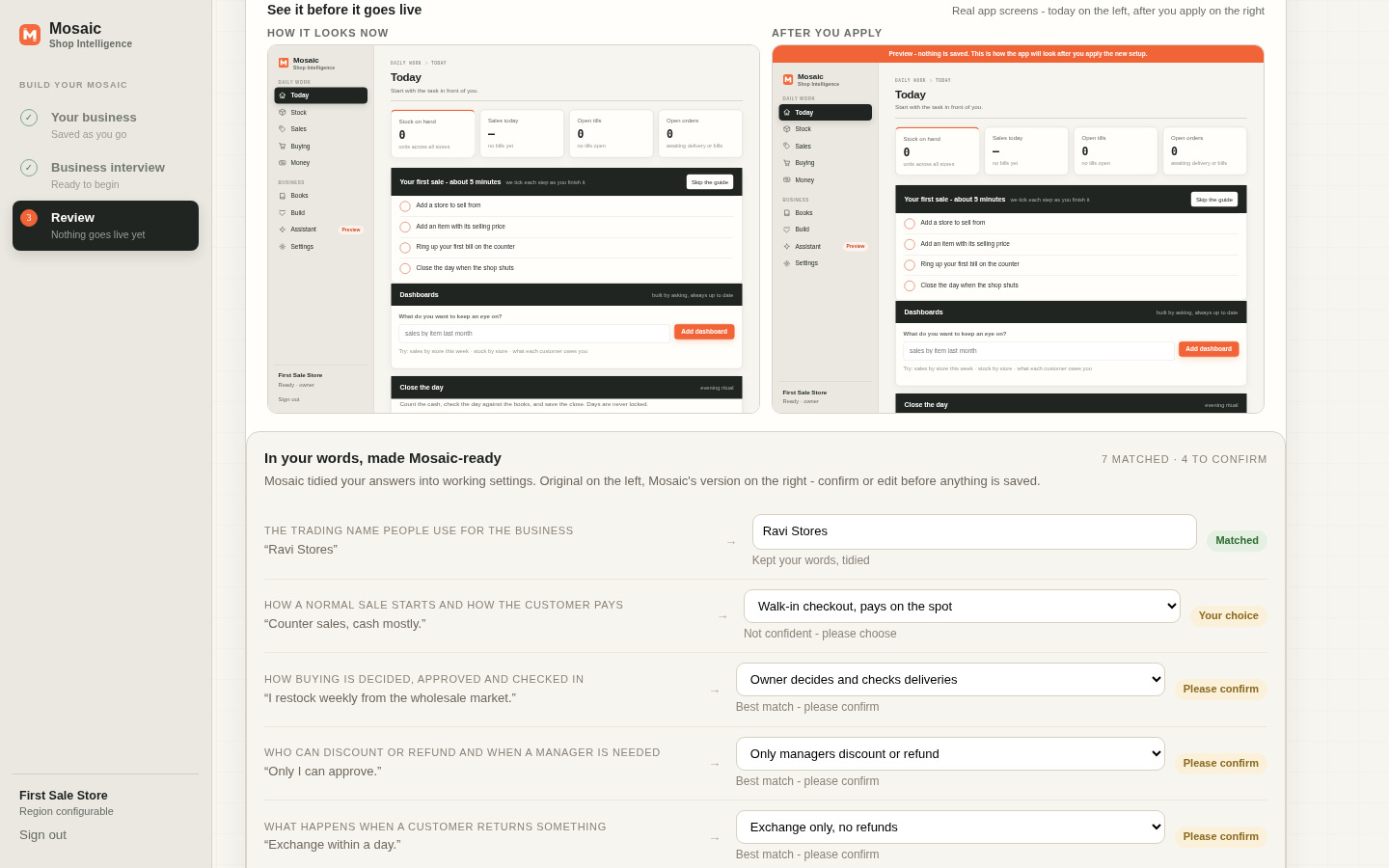
Every setup change on the review screen shows the real app side by side - how it looks now, and how it will look after - marked Preview until you say go.
No forms to decode, no consultant required. Mosaic asks plain questions about your products, stores, channels, stock, credit, returns, staff and tax registration, one at a time, with the reason for every question explained.
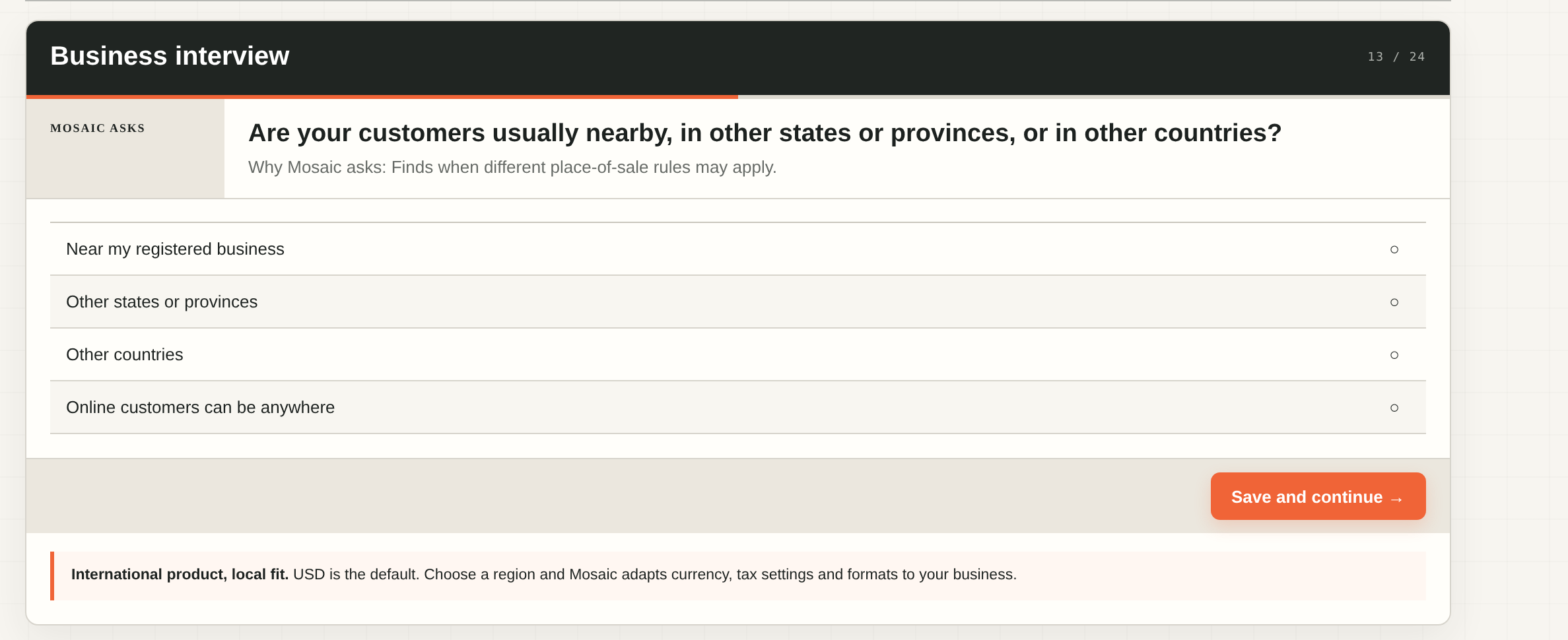
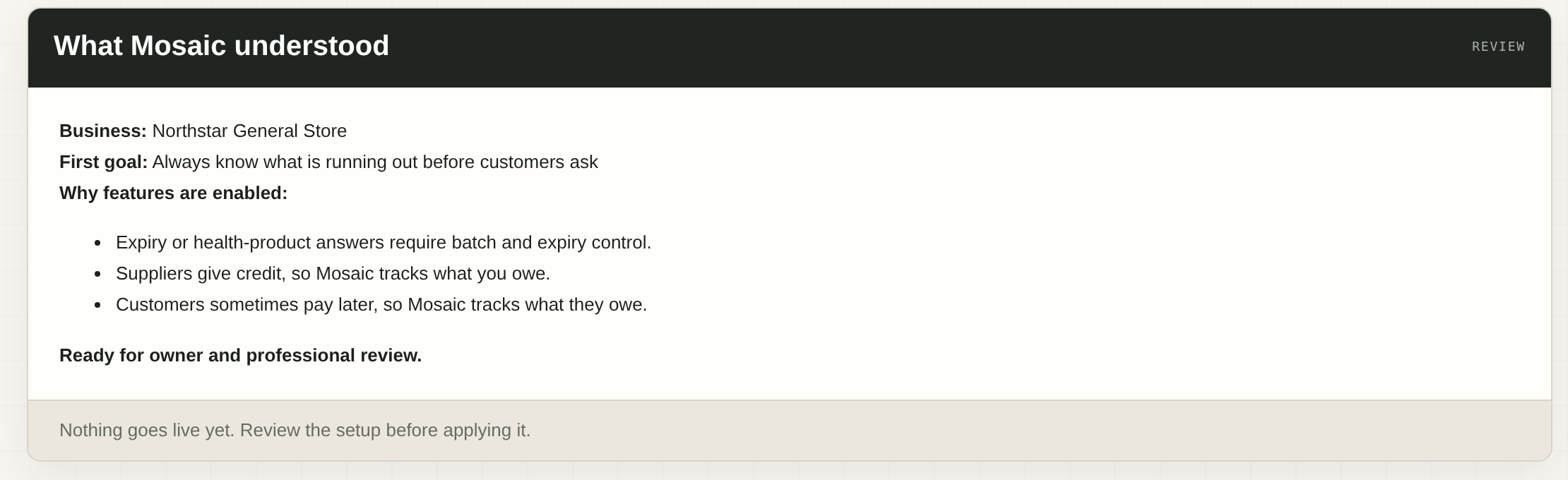
Each answer configures the real thing: modules, workflows, roles, controls, reports, terminology, even branding, in the running ERP rather than a plan for one. Mosaic shows you the summary and explains why every feature is enabled before anything goes live, and configuration versions can be reviewed, explained and rolled back.
Mosaic connects everyday retail work to the core accounts while keeping access, changes and exceptions visible.
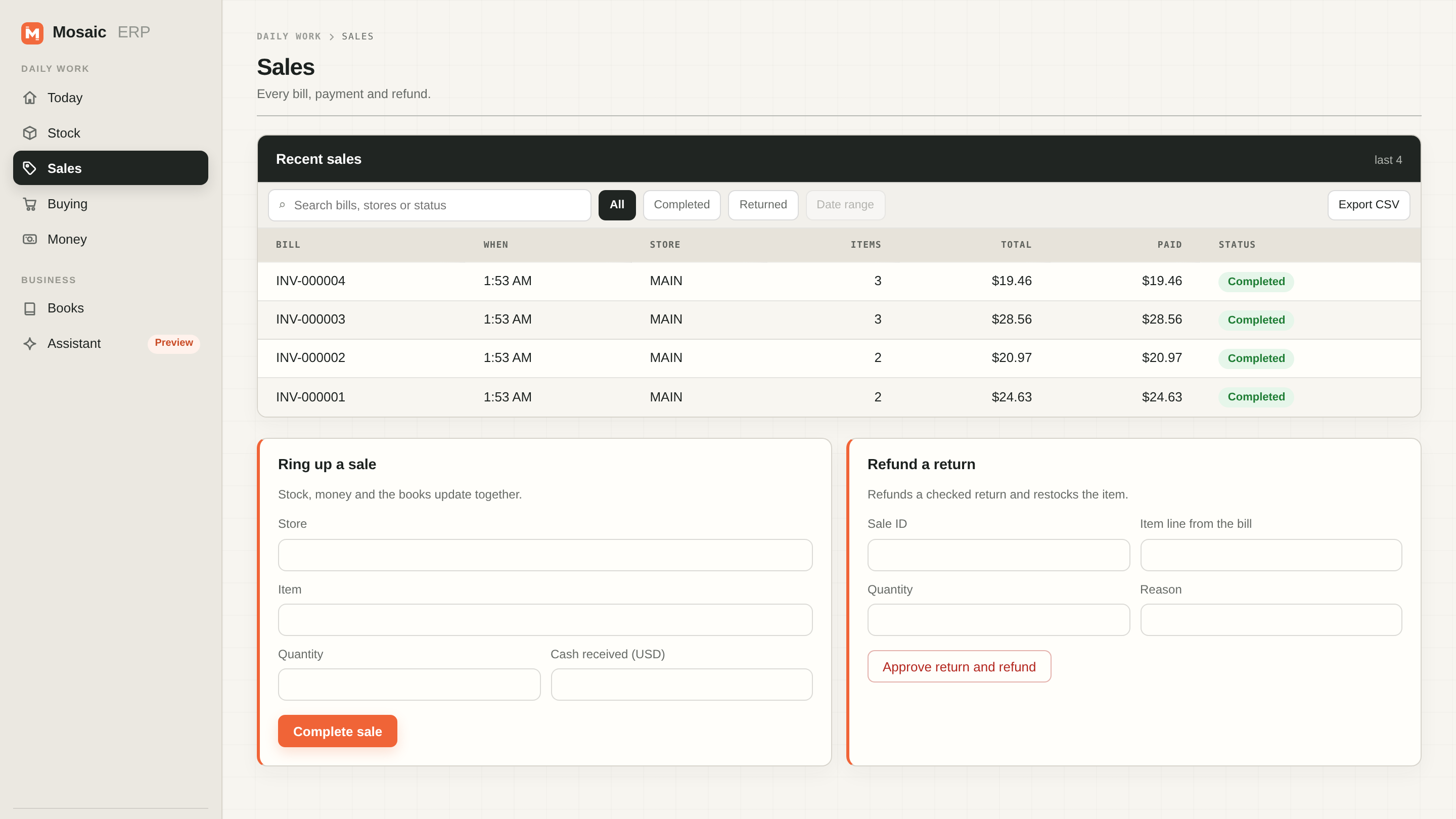
Recorded from the live app - the owner moves through Today, Sales and Stock. No mockups.
Later changes do not need a settings maze. Built-in chat answers plain questions from your live data, and handles configuration in plain words - showing the exact change for review and applying it only after you confirm. Nothing changes on its own, and applied versions can be explained and rolled back.

Standard matching is built in and on by default: Mosaic maps your interview answers to settings itself, and nothing leaves your workspace. Owners who already hold a TypeSafe key can switch on Jev AI assist (Preview): a focused English-first model helps tidy your answers and propose reconfiguration changes, each shown with its reason and applied only after you confirm. TypeSafe sign-ups are currently closed, so Jev is for owners who already have a key. OpenAI, Claude and DeepSeek are also available, each with your own key from that provider, and the choice can be changed at any time from the Assistant screen.
Mosaic runs the tested core retailer flow, with plain screens for the owner and team.
See the core numbers that matter: stock, cash, supplier bills, aging, trial balance, profit and loss, and balance sheet.
Raise and approve purchases, receive stock, sell with exact tenders, process returns, move and count stock, and close cash.
Add a store, staff role or reviewed configuration change with an audit trail. Reconcile bills, payments and the bank, then lock a closed period.
Use one system - hosted or self-hosted - for multi-store retail inventory, purchasing, receiving, sales, returns, supplier bills, bank matching and core accounting reports. The owner interview configures the working ERP without requiring custom code.
Grocery, fashion, electronics, pharmacy, beauty, specialty retail, services, multiple stores, online channels, credit, expiry, and warranty needs change how Mosaic configures your system.
Built-in deterministic chat is the default. You can connect your own AI provider, with setup and configuration guided in chat. Secrets use a masked secure step and never enter chat, logs, exports, or audit detail.
Ask for dashboards and supported reports in plain language. Mosaic creates a reviewable definition from allowlisted business data, never unrestricted SQL.
Give staff only the actions, locations, amounts and record states they need. Sessions and invitations are revocable, and changes are audited.
Carry approved purchases, sales, returns, supplier bills, payments and bank matches into an immutable double-entry record and core reports.
Country-specific questions, source links, dates, and warnings help uncover facts that cannot safely be guessed. Professional review still matters.
Export your workspace, self-host the software and use the included local backup/restore path. Production recovery and availability remain the operator's job.
The source is MIT licensed. Hosting, implementation, migration, operations, and professional advice can still cost money.
Mosaic asks the business facts each location needs and keeps official source links and dates with the configuration.
The desktop installer keeps Mosaic on the shop PC. A hosted HTTPS install opens the same responsive ERP in a phone browser; there is no separate mobile app. Kubernetes remains a professional production path.
Use the desktop installer for the shop PC, or follow the hosted guide for secure phone access. Create the owner account in the browser; no workspace or API key is shown to ordinary users.
Work through plain questions about products, stores, sales channels, stock, credit, returns, services, staff, tax registration, and optional AI-provider setup. Configuration stays chat-guided; provider secrets are entered only in a masked secure step.
See Mosaic configure real workflows, reports, roles, verification tasks and business terms from every answer.
Review the planned controls with staff. The owner can verify tax and generated reports in one click; professional review is recommended.
Keep configuration versions and audit history, and roll back configuration when a reviewed choice needs to be reversed.
Use the configured system for its tested core retailer work and export the workspace when needed. Stay within the stated release boundaries.
Straight answers about what Mosaic can do today and where production help may be needed.
Yes. Download the Windows or Mac installer (Apple Silicon or Intel) and Mosaic opens in your browser. A guided local trial with Python 3.10+ and two commands also works. Kubernetes production deployment needs professional help.
The configured system changes for major retail types, stores, online channels, credit, returns, expiry, warranty, services, and staff patterns.
The validated migration flow supports products, customers, vendors, stock and reviewed open documents. Mapping, reconciliation and opening balances still need review before applying.
Yes. Operational access can be limited by action, location, amount and record state, with revocable sessions and an audit trail.
The tested core includes supplier bills and payments, bank matching, immutable double-entry journals, period locks, aging, trial balance, profit and loss, and balance sheet. Chat can create reviewed draft statutory invoice definitions and other reports from allowlisted business data. Statutory output remains review-gated and filing is excluded.
Candidate calculation packs stay disabled until the owner or a named professional verifies the exact jurisdiction, dates, sources, rules and regression cases. Statutory outputs and filing remain disabled separately.
The core local Mosaic app and its built-in deterministic chat run on the same computer without internet after download. This is not an offline AI claim: the optional local assistant Preview also runs on the same computer once its pinned model is downloaded (about 1.2GB, peak memory about 2.1GB). A connected AI provider, hosted setup, or multi-store setup depends on the chosen provider, network, and infrastructure.
In a self-hosted setup, the business controls its environment. Mosaic supports configuration export, workspace export, backups, and confirmed deletion.
Backup/restore tools and runbooks are included. There is no promised managed support service. The business owns operations and should use professional platform help for production.
Yes. Host Mosaic behind HTTPS and open the responsive web UI in the phone browser. There is no separate mobile app. The desktop installer stays private to the shop PC.
Professional review is recommended for tax and accounting. Kubernetes production deployment needs professional platform help; owners can run the Docker Desktop trial themselves.
It depends on current systems and data quality. Mosaic stages and validates supported core records, but mapping, reconciliation and reviewed opening balances still need implementation work before a switch.
The source is MIT licensed with no software licence fee. Hosting, implementation, migration, operations, and professional advice can still cost money.
The released v2.1 line covers guided setup, built-in deterministic chat, optional bring-your-own AI-provider setup, core purchases, receiving, sales, exact payments, returns, stock, cash, supplier bills/payments, bank matching, period close and core accounting reports. Every report exports as a PDF or CSV/XLSX file, and custom reports can be requested in plain words and reviewed before use. New in Preview: the fine-tuned local assistant can understand, draft and explain ERP actions, and every action stays behind the owner's explicit confirmation of the exact rendered payload. The answer-shaping chooser (Standard built in by default; Jev by TypeSafe in Preview with the owner's own key; OpenAI, Claude and DeepSeek available with the owner's own key from each provider) comes with side-by-side interview review and plain-language reconfiguration, all behind owner confirmation. Preview quality is bounded and measured on the frozen development contract: all constrained outputs were schema-valid and every tested unsafe request failed closed, while label accuracy was 84 to 86 percent, so drafts must be read before approval. Its other explicit exclusions still apply.
Business owners can stop above. These links and checks help a technical evaluator plan a production environment.
The local trial uses SQLite. Production packages use an external PostgreSQL service through Docker Compose or Kubernetes/Helm. The v2.1 source passed fresh application/security, PostgreSQL 17 tenant-isolation, strict Helm, deployment-validation and live container-readiness checks, plus native amd64/arm64 availability benchmarks for the local assistant Preview (two-stage constrained decoding against the frozen intent contract). Fresh tagged images, signatures, software inventory/provenance and vulnerability results remain required before publication.
Deployment guide · Architecture and limits · Product and publication-parent checks · Pages deployment
Real DNS and encrypted connections, managed PostgreSQL availability and recovery, offsite backups and restore drills, load and failover testing, identity-provider setup, monitoring, incident response, and an independent security assessment before real financial-data use.
Host Mosaic securely and the owner interview and daily work run in the phone browser over HTTPS - there is no separate mobile app to maintain.
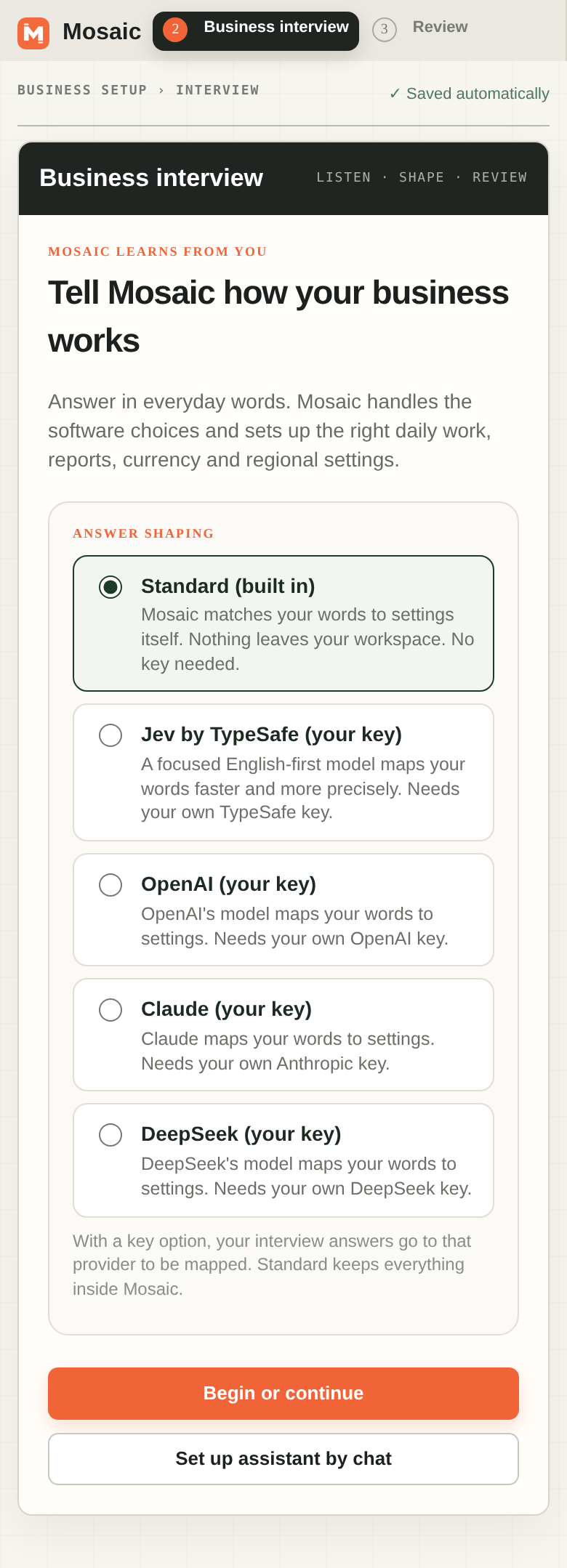
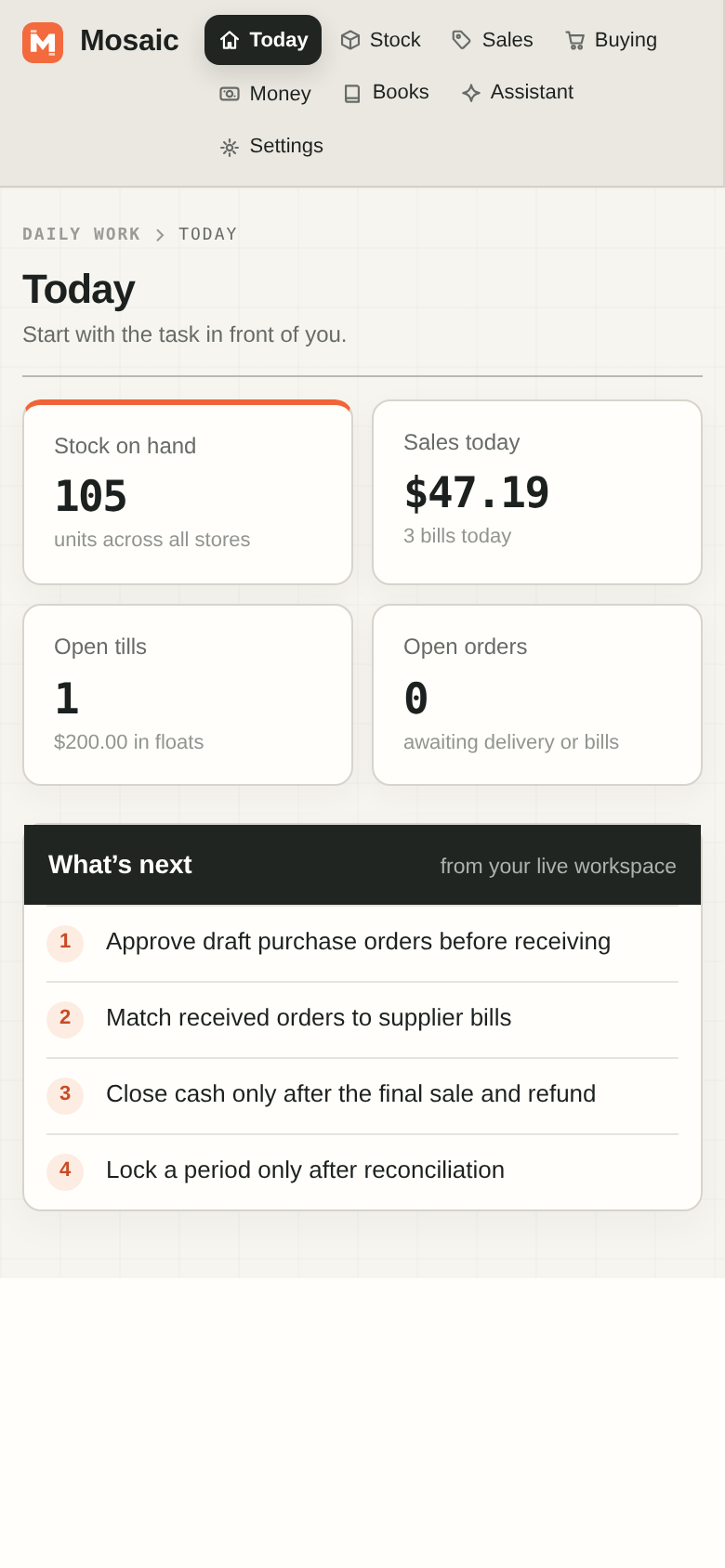
Open the hosted app and set up your shop by answering plain-English questions. Prefer your own hardware? The same system is free to download and self-host.
Product walkthroughs, release notes and real retail workflows from the team building Mosaic Shop Intelligence.